Terminal 1
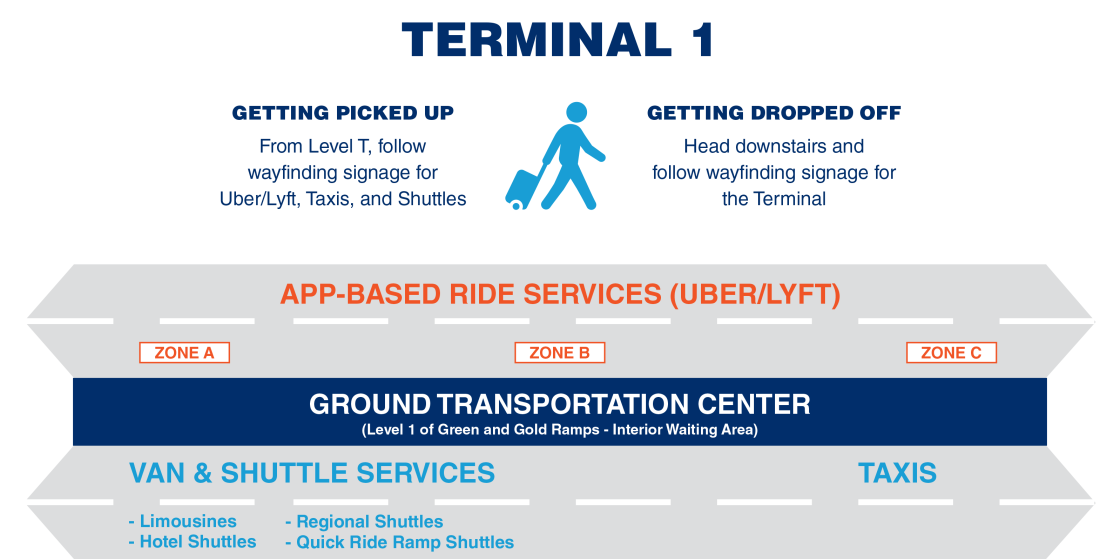
If you plan to use Uber, Lyft, or another app-based ride service, your ride will pick you up in the Ground Transportation Center located on Level 1 of the Green/Gold Parking Ramps.
Terminal 2
Pick up is available on the second level of the Purple parking ramp.
Before You Go
Follow these travel tips to get to your destination safely:
- Remain on the sidewalk until your vehicle comes to a complete stop
- Always confirm the license plate
- Have the driver say your name before getting in
For TNC Drivers
MSP Airport requires all Lyft, uberX, uberXL, UberSELECT, and other app-based rideshare partners to obtain a permit and display a vehicle decal to complete rider pickups. Failure to display your permit will result in a $100 fine.
To get your permit, start here:
- Go to tncpermit.mspmac.org
- Fill out the MSP Airport permit form online—you will need to have your social security number & vehicle VIN
- Ensure your driver’s license is current and all documents are up-to-date
At the Landside Office:
- Show your driver's license
- Vehicles 10 years or older must be brought in to verify mileage is less than 150,000
- A permit fee of $25 per TNC will be charged by debit or credit card (cash and "Tap to Pay" are not currently accepted)
- Verify and sign a copy of the form you submitted
- Airport staff will need your driver's license to verify your information and provide you with a decal for each vehicle
After departing the Landside Office:
- Apply the decal to your windshield. MAC ordinance requires the decal to be permanently affixed on the middle of your windshield behind your rearview mirror
- Carry your paper driver’s permit with you or upload a photo of the permit to your app (if applicable) under “MSP Airport Permit”
- Upload a photo of the permit to your app under "MSP Airport Permit" and wait for your rideshare company to approve
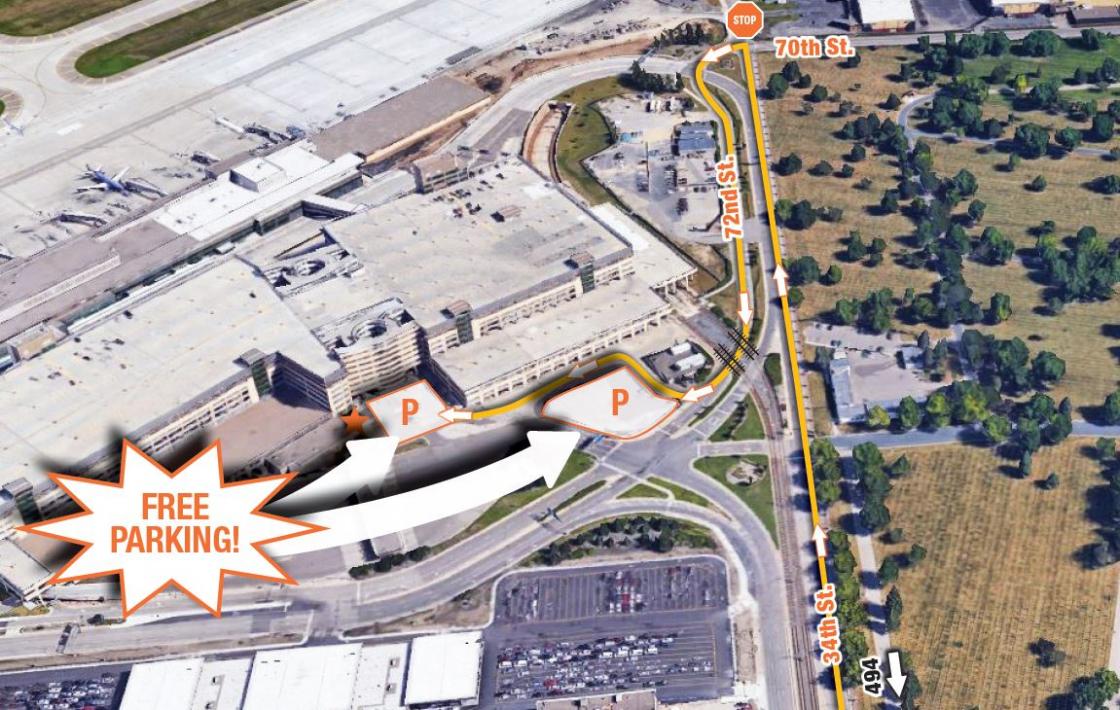
Directions to the Terminal 2 Landside Offices for permitting
- Enter 34th Ave from 494 towards the airport
- Continue until you reach the stop sign at E 70th St and take a left U-Turn onto E 72nd St.
- Continue back towards 494 on 72nd St.
- After you cross the train tracks, take the first right marked “App-based Vehicles Only.” Follow the signs to the Landside Office.